
Turn any idea into scroll-stopping ads
Brief, URL, script, or podcast in. You approve the shot plan before a credit is spent.
No credit card required
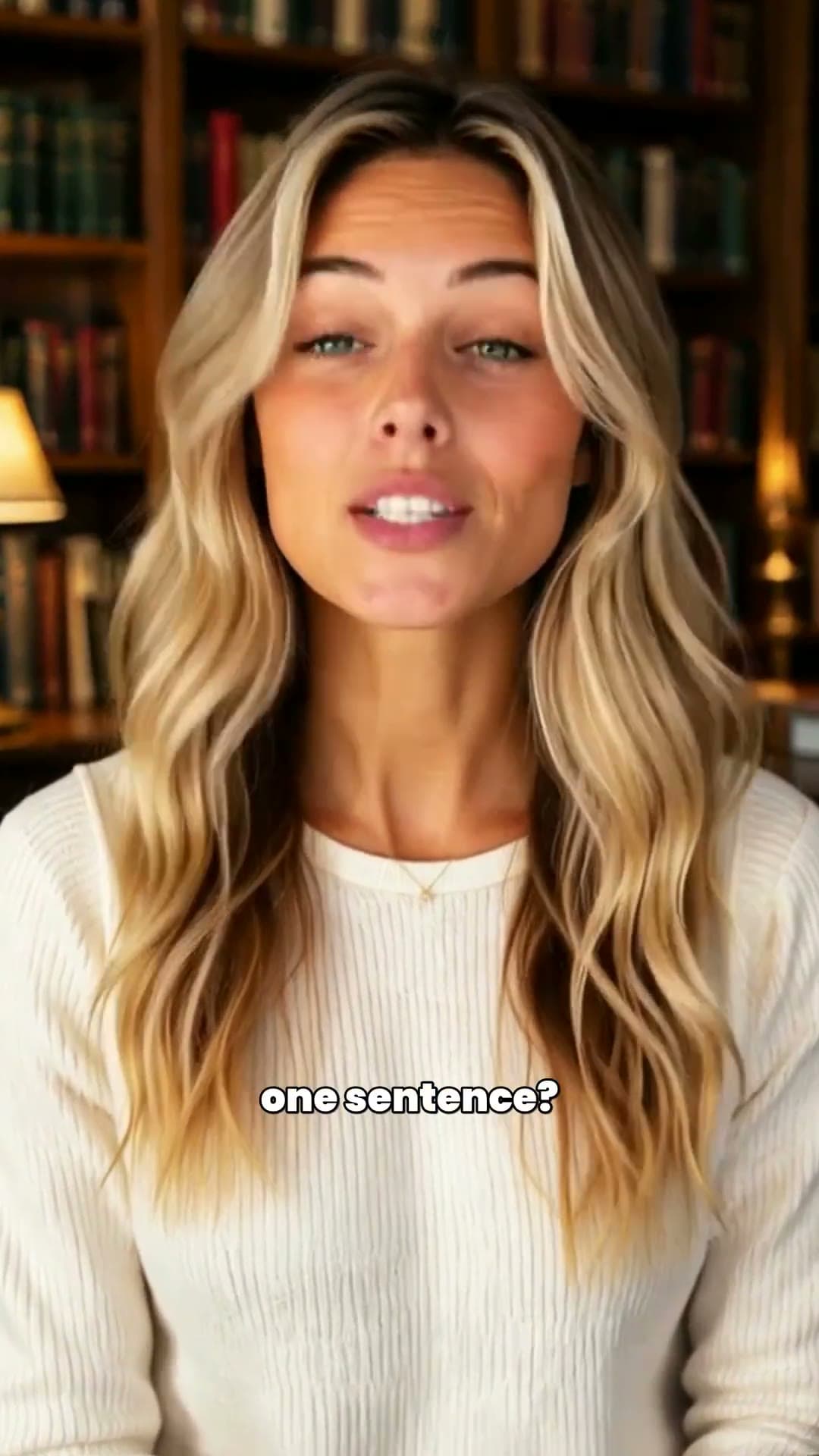
Watch the launch film · 98 sec
See FinalTake in action
GET STARTED
Start however you work
Same studio pipeline — pick the input that matches what you already have.
Describe it
One-line brief → full UGC ad with script, avatars, and b-roll.
Paste a link
Product or landing page URL → pre-filled brief and storyboard.
I have a script
Finished copy → storyboard and scenes in seconds.
Podcast / interview
Real audio → two-avatar video that lip-syncs every word.
Built for teams who ship converting ads
- DTC brands
- Performance marketers
- Agencies
HOW IT WORKS
From input to finished ad in four steps
Every entry mode flows through the same Director, storyboard, and generation pipeline.
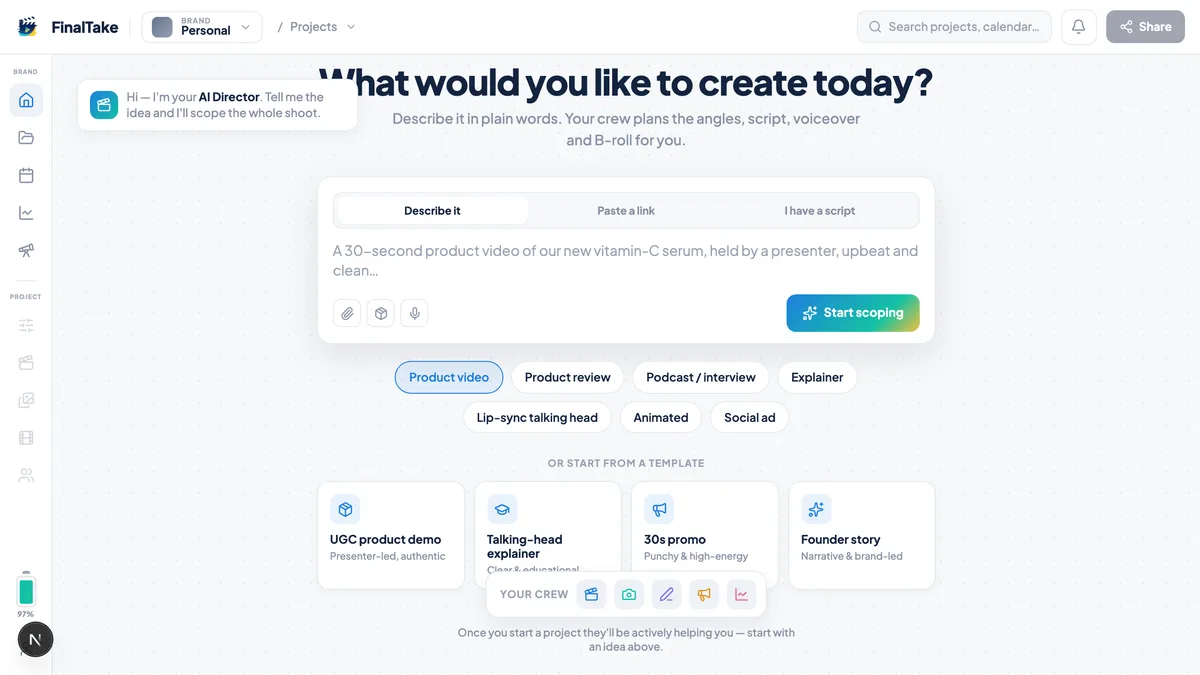
Describe it
Start with a brief, product URL, finished script, or podcast clip. The Director asks the right questions and writes the script.
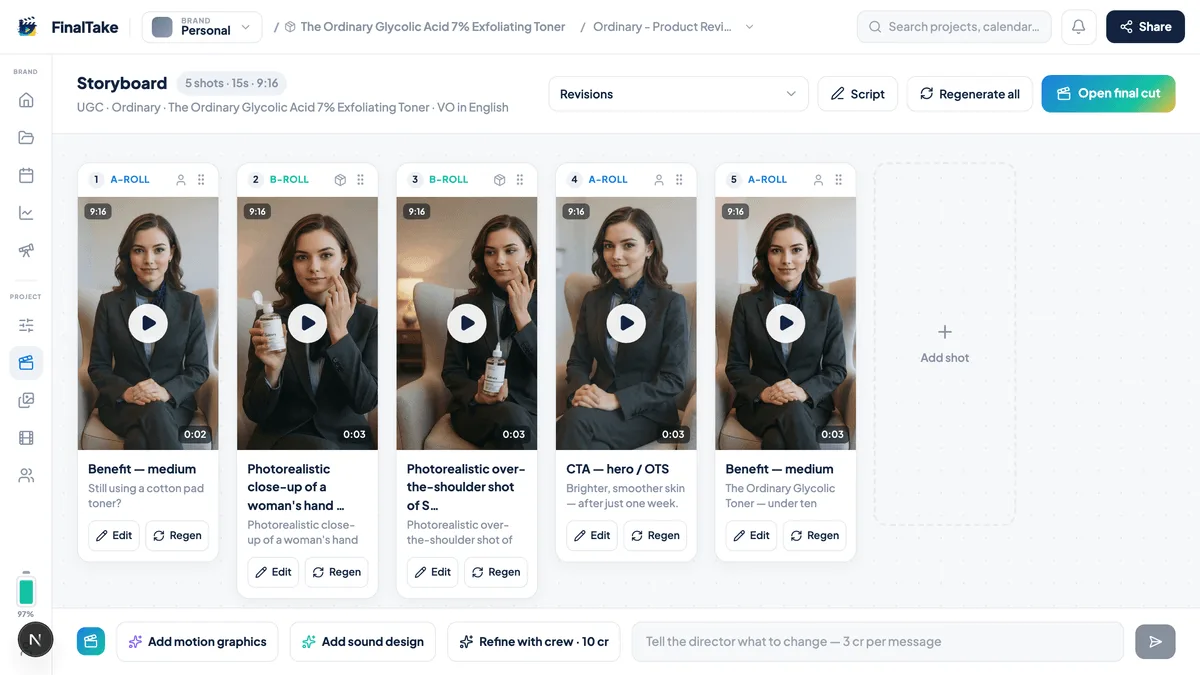
Direct it
Review the storyboard: scenes, avatars, b-roll and captions — change anything with a chat message.
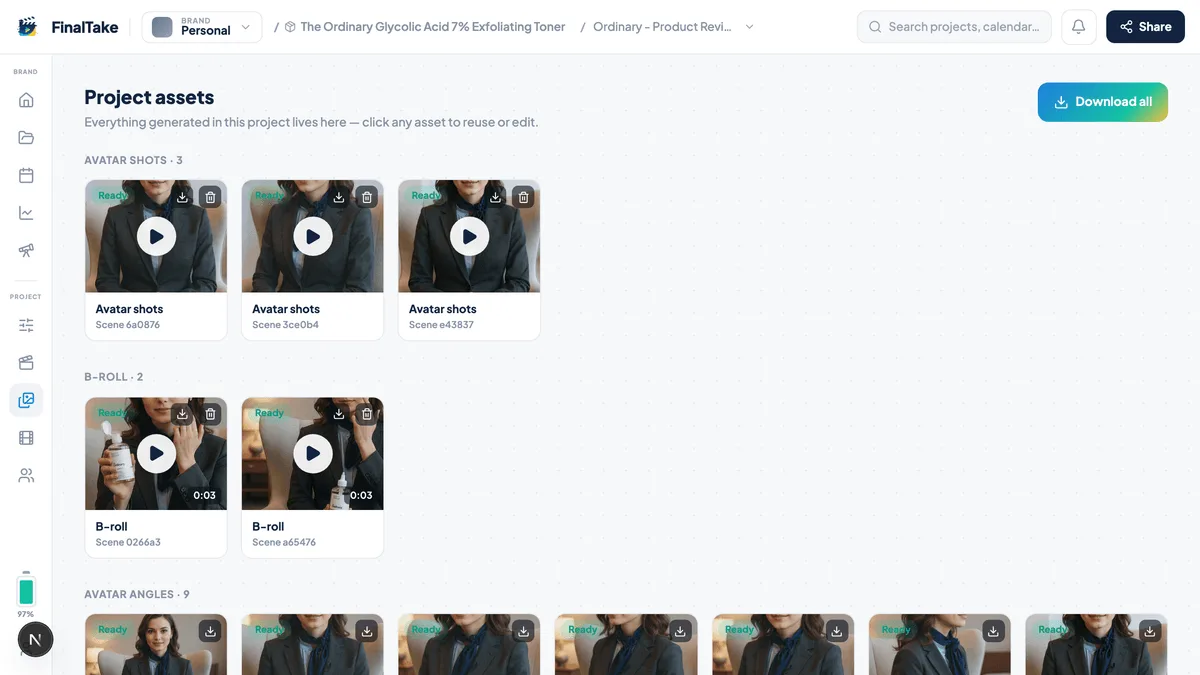
Generate
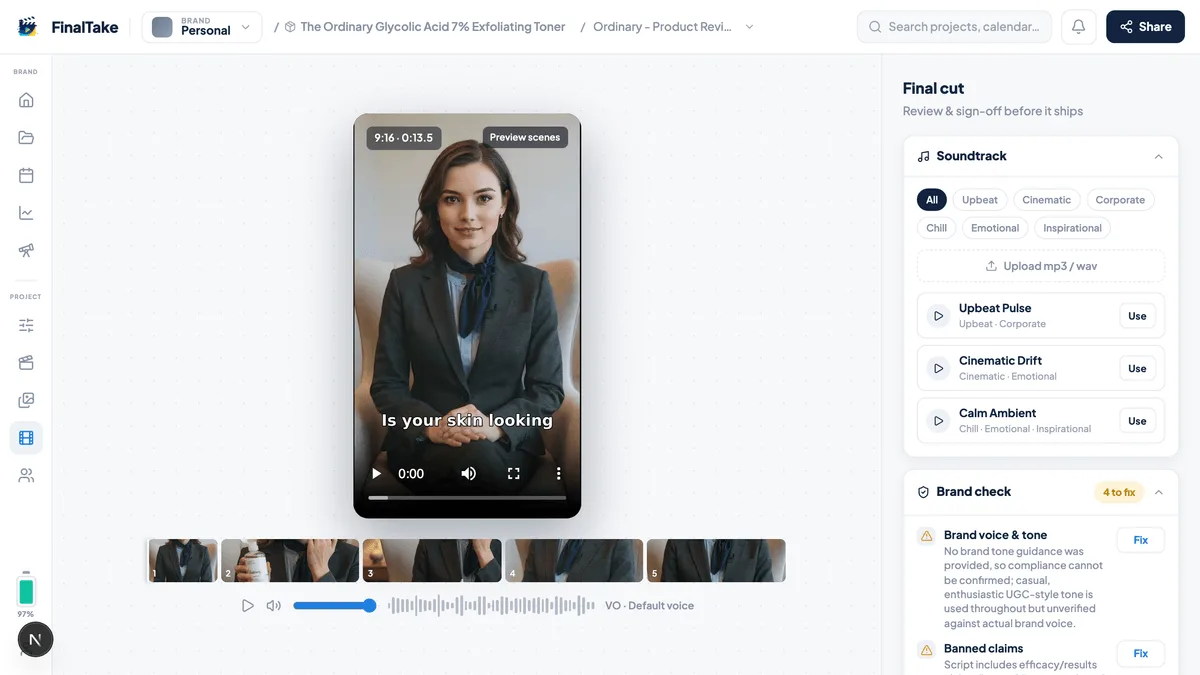
FinalTake shoots every scene: lip-synced avatars, product shots and b-roll, all in your brand's look.
Finish it
One click renders the final cut with captions and soundtrack — export-ready or publish to connected channels.
WHAT YOU GET
A full studio, not a single trick
Directed UGC ads, a plan you approve, and a loop from research to publish.
CREATE
Avatars that actually sell
Lip-synced AI presenters that hold the product, use it, and talk to camera.
B-roll & captions on autopilot
Scene-matched product shots, cutaways, and styled captions burned in for sound-off scrolling.
Podcast → video
Drop in real audio; get a two-avatar clip that lip-syncs every word.
PLAN
AI research before you shoot
Audience, positioning, competitors, trends, and hooks — per brand, on demand.
Content calendar
Research & draft your month, approve each post, then generate on schedule.
URL & script import
Paste a product link or finished script — skip the blank page entirely.
GROW
Publish from the editor
Post or schedule to connected social channels without leaving FinalTake.
Analytics that stay honest
Track published and scheduled posts — views, engagement, and top performers by channel.
Your brand, every frame
Brand kits keep colors, product, and visual style consistent across all videos.
PLAN & PUBLISH
Plan, publish, and learn
Go beyond one-off exports — research your audience, draft a content calendar, and track what goes live.
Research it
AI-built audience, competitor, and hook intel per brand — enrich your context before you spend credits.
Plan it
Draft a month of channel-specific posts. Approve scripts, then generate videos on your schedule.
Publish it
Post or schedule to YouTube and other connected channels directly from the editor.
Learn from it
See what's published, what's scheduled, and how top posts perform — views and engagement by channel.
SEE IT IN ACTION
UGC ads made with FinalTake
From talking-head UGC and product-in-hand ads to explainers and podcast clips — real output, not stock AI filler.
PRICING
Simple, credit-based pricing
Hiring a UGC creator runs $150–300 a video. Here you pay by the second of finished video. Start free, upgrade when it earns.
Free
- 100 credits to start — no card
- Up to 720p, watermarked
- Draft quality only
- One-time credits — no monthly refill
- Your brand + 1 more
Creator
- 300 credits / mo — roll over up to 3 months
- Up to 1080p, no watermark
- Draft and Standard quality
- Generated music, premium lip sync, custom 3D effects, Hook Lab, presenter swap, translate
- 1 custom avatar
- Your brand + 1 more
- Top-ups anytime — never expire
- API & MCP access
Pro
- Everything in Creator, plus:
- 1,000 credits / mo
- Up to 5 custom avatars
- Your brand + 5 client brands
- Cinematic render quality
- 4K export
- Voice cloning
Studio
- Everything in Pro, plus:
- 4,000 credits / mo
- Up to 20 custom avatars
- Unlimited brand kits
What things cost
- 15s reel
- 32
- 30s ad
- 62
- 60s explainer
- 122
- burned-in captions
- +5
- extra aspect ratio
- +10
Credits, at 1080p. 1 credit ≈ 1 second of finished 480p video — how long yours run is up to you. Other tools (including Captions Max at $24.99 / 500 credits) use a different unit; do not compare credit counts.
Need more credits? Top up anytime.
Top-ups never expire.
FAQ
Questions, answered
What is FinalTake?
FinalTake is an AI video studio with an AI crew. A director plans the script, shots and continuity, and you approve the plan before anything is generated — from a brief, product URL, script, or podcast clip.
Can I paste my product URL instead of writing a brief?
Yes. Paste a product or landing page link on the home screen and FinalTake reads the page, pre-fills your brief, and moves you straight into script and storyboard.
Can I turn a podcast clip into video?
Yes. Attach an audio file (.mp3, .m4a, or .wav) and FinalTake builds a two-avatar video podcast that lip-syncs the real conversation — no TTS replacement.
Does FinalTake publish to social media?
Yes — connect YouTube or TikTok from Settings and publish or schedule directly from the editor. Instagram and LinkedIn are rolling out. Every plan includes export-ready downloads regardless.
What is the content calendar?
FinalTake drafts a month of channel-specific posts from your brand research. You approve each item, then generate videos manually or on a schedule — with optional auto-publish when channels are connected.
How much does FinalTake cost?
You can start free with 100 one-time credits (one or two short videos). Paid plans are Creator at $29/mo (300 credits), Pro at $79/mo (1,000 credits) and Studio at $249/mo (4,000 credits), with credit top-ups from $29.
What is a credit?
1 credit equals 1 second of finished video at 480p. HD costs more: 720p is 1.5 credits and 1080p is 2 credits per second, so a typical 30-second 1080p video is about 60 credits.
Do my videos have a watermark?
Videos on the free plan carry a small watermark. Every paid plan (Creator, Pro, Studio) exports watermark-free.
Can I use FinalTake videos commercially?
Yes — videos you create on paid plans can be used for ads, social channels and client work.
How long does it take to make a video?
Usually 10 to 30 minutes end to end. You approve the storyboard, then every shot is generated and the final cut is rendered without you waiting on the page — you get an email when it is ready.
How is FinalTake different from an AI avatar generator?
Avatar tools give you a talking head; FinalTake is a full UGC studio. It writes ad scripts, casts avatars who hold and use your product, generates usage shots and b-roll, styles captions, and assembles the final cut — plus research, calendar, and publishing.
How is FinalTake different from a general AI video agent?
Agents like Pexo optimize for any video type from one chat. FinalTake is built for UGC ads: category playbooks, product-in-hand compositing, a five-person AI crew, storyboard control, and a content ops loop from research to publish.
How is FinalTake different from Captions?
Captions edits footage you already shot — styles, captions, twins, translation. FinalTake directs a commercial: you approve the shot plan before a credit is spent. Different jobs. See /compare/captions.
What happens if my video generation fails?
If a render fails, your credits are automatically restored to your account — you are only charged for successful renders. If you continue to experience issues, contact our support team at admin@finaltake.ai and we'll investigate right away.
COMPARE
See how FinalTake compares
- FinalTake vs Captions, Arcads & AI UGC tools
- Arcads vs FinalTake (2026)
- Creatify vs FinalTake (2026)
- MakeUGC vs FinalTake (2026)
- HeyGen vs FinalTake (2026)
- Captions vs FinalTake (2026)
- Cardboard vs FinalTake (2026)
- Cardboard alternative for AI UGC ads
- FinalTake vs HeyGen
- FinalTake vs Synthesia
- FinalTake vs Creatify
- FinalTake vs Arcads
- FinalTake vs Pexo
FEATURES
UGC video capabilities
USE CASES
See how teams use FinalTake
Your next video is one URL, script, or brief away
100 free credits · No credit card